AI Avatar Videos for YouTube: How to Make Videos with an AI Presenter
An AI avatar video is a video presented by a digital person: an avatar, usually generated from a photo, that speaks your script on camera with lip movement matched to the narration. This guide explains how AI avatar videos work, when a presenter is worth having, what YouTube requires, and how to make one with Subscene from a single photo.
What is an AI avatar video?
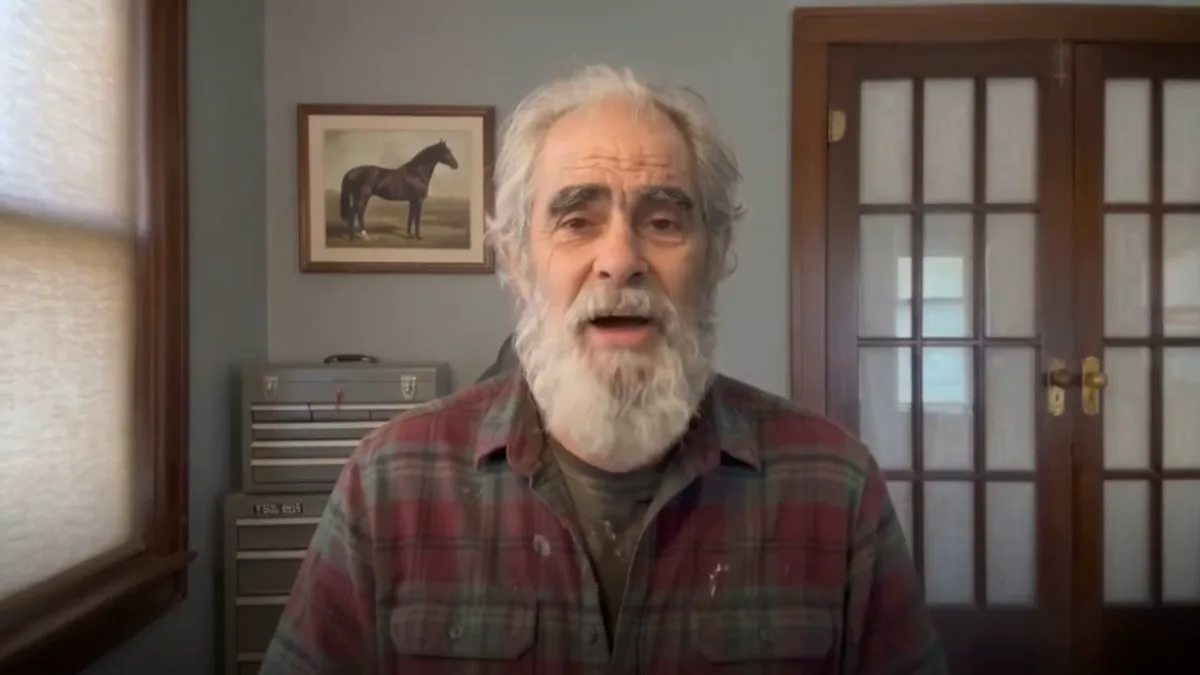
An AI avatar video puts a presenter on screen without anyone being filmed. You provide a portrait photo and a script or recorded narration. The AI turns the photo into an avatar that speaks the narration, with lip-sync, so the video looks like a person presenting to camera.
Most AI avatar tools produce a single talking head for the whole video. That works for a thirty-second announcement, and becomes hard to watch at ten minutes, because nothing changes on screen. In Subscene the avatar is the host, not the whole video: it opens the video and returns a few times a minute, and the scenes between are visuals that illustrate what is being said.
AI avatar or faceless: which should you make?
A faceless video is carried entirely by narration and visuals. An avatar video adds a presenter. Neither is better in general; they suit different content.
Choose an AI avatar when
- The video is advice, opinion or a recommendation. Viewers trust guidance more when it comes from a face, and a presenter gives commentary something to look at.
- You want the channel to feel like a person. A recurring host builds the familiarity that turns viewers into subscribers, which is the hardest thing for a faceless channel to do.
- The subject has little visual material. Personal finance, how-to and explainers on abstract ideas often lack footage. A presenter fills the gaps that stock footage would fill badly.
- You would present it yourself if filming were not the bottleneck. An avatar of your own face lets you keep a personal channel without a camera, lighting or retakes.
Stay faceless when
- The visuals are the point. History, documentary, geography and data stories are carried by archive photos, maps and charts. A presenter would only interrupt them.
- The channel is a format, not a personality. Some audiences subscribe for the format and do not want a host at all.
How Subscene makes an AI avatar
Start from one photo
Upload one clear, front-facing portrait in even light: one person, with the whole head in frame. JPG, PNG or WebP up to 15MB. Creating an avatar from a photo is free, as many times as you like.
Give it new looks
Describe an outfit or a background, such as "navy suit" or "in the kitchen", and Subscene generates a new look with the same face. Each look costs 10¢, charged once. Looks let one avatar host a cooking video in a kitchen and a finance video in an office without looking like a different person. In Avatar Studio you can build several avatars, each with its own looks.
What goes on screen between the avatar's appearances?
The avatar presents the first two scenes, so the video opens on its host, and then returns a few times a minute. Every other scene is a generated realistic image illustrating that line of the narration.
Turn on stock footage and at least one scene a minute becomes a real video clip of a place, animal or object instead of a generated image, which adds motion and texture to longer videos.
Fixed or variable scene length
- Fixed. Every scene runs 8 seconds. Predictable, even pacing.
- Variable. Scenes run 4 to 9 seconds and are cut where the narration naturally breaks, so each scene lasts as long as the line it carries. The pacing follows the voice, which usually feels more edited. It adds 10¢ per minute.
Script or your own narration?
There are two ways to start an AI avatar video.
- From a script. Your script is used word for word. Pick an AI voice, Subscene narrates it, and the avatar speaks it.
- From audio. Upload narration you recorded. The avatar lip-syncs to your voice, and Subscene transcribes it to plan and illustrate the scenes. This is the way to keep your own voice on a channel without filming. Files up to 30MB are accepted.
Either way, the script matters more than the avatar. A presenter cannot rescue a vague script, and the visuals are chosen to match what each line says, so specific writing gets better pictures. The faceless video guide covers how to write for narration.
Does YouTube allow AI avatar videos?
Yes. YouTube does not ban AI avatars, and avatar videos can be monetized like any other video. Two policies apply.
- Disclosure. YouTube asks creators to disclose altered or synthetic content that viewers could mistake for a real person, place or event, including making a real person appear to say something they did not. A realistic avatar presenter will often fall under that, so if in doubt, tick the disclosure box when you upload. YouTube has said the label itself is not a penalty.
- Originality. The monetization policies exclude inauthentic content, meaning mass-produced or repetitive videos. An avatar reading a near-identical template every day is at risk. An avatar presenting an original, researched script is not.
How to make an AI avatar video with Subscene
- Create your avatar. In Avatar Studio, upload one front-facing portrait. Optionally describe new outfits or backgrounds to generate looks.
- Choose script or audio. Paste a script and pick an AI voice, or upload narration you recorded.
- Pick the avatar, the look and the scene length. Choose which avatar and look present the video, and fixed or variable scene length. Turn on stock footage if you want real video clips between the avatar's appearances.
- Generate and review. Subscene lip-syncs the avatar, plans the scenes around the narration and illustrates each one. Review the result scene by scene in the editor and set the subtitle style, placement and font.
- Export and upload. Export in your browser for free, or use cloud export, then upload to YouTube with the synthetic content disclosure set.
How much does an AI avatar video cost?
- 40¢ per finished minute from your own narration.
- 60¢ per finished minute from a script, including the AI voiceover.
- +10¢ per minute for variable scene length.
- 10¢ per look. Creating the avatar itself is free.
AI avatar videos are billed in whole minutes, with a 5-second grace: the first minute is always charged, and another minute is charged only once the video runs more than 5 seconds past a whole minute. A video of 3 minutes 5 seconds is billed as 3 minutes. Failed work is never charged. Exporting in the browser is free, and cloud export is a flat 99¢.
New accounts start with 100¢ free to try the faceless workflow. AI avatar videos are part of the paid plans.
Try Subscene free
New accounts start with 100¢ free. You only pay for finished video.
Start creatingFrequently asked questions
Can I make an AI avatar from my own photo?
Yes. Upload one clear, front-facing portrait and Subscene makes an avatar from it. Creating the avatar is free, and new looks with different outfits or backgrounds cost 10¢ each.
Does the AI avatar lip-sync to my own voice?
Yes. Upload narration you recorded and the avatar lip-syncs to it. Or paste a script and pick an AI voice, and the avatar speaks that.
Is the avatar on screen for the whole video?
No. The avatar presents the first two scenes and returns a few times a minute. The scenes between are realistic images, or real video clips if stock footage is on, that illustrate what the narration is saying.
Can AI avatar videos be monetized on YouTube?
Yes, if the content is original rather than mass-produced or repetitive. Disclose realistic synthetic content when you upload. YouTube has said the label itself is not a penalty.
How much does an AI avatar video cost?
40¢ per finished minute from your own narration, or 60¢ per minute from a script with AI voiceover. Variable scene length adds 10¢ per minute. Billing is in whole minutes with a 5-second grace.
Is an AI avatar video better than a faceless video?
It depends on the content. An avatar suits advice, opinion and how-to videos, and channels that should feel like a person. Faceless suits history, documentary and data stories, where the visuals carry the video.
A complete guide to faceless YouTube videos: picking a niche, finding topics, writing for narration, staying monetizable, and making each video with AI.